Jonathan Schmidt
“We are moving from searching for information to prompting for solutions.”
The digital ink barely dries on one AI innovation before another emerges—especially inside Google’s fast-evolving ecosystem. For decades, the search box was our humble portal to the world’s knowledge. But now, that familiar box is splintering into a powerful trinity: Google Gemini, AI Overviews, and the new AI Mode.
If you’ve ever wondered:
- “What’s the difference between Gemini and AI Overviews?”
- “When should I use AI Mode vs. Gemini?”
This post is your ultimate field guide. Let’s unpack each Google AI tool—its purpose, strengths, weaknesses, and real-world use cases—and help you wield the right one at the right time.
🌟 Google Gemini: The Creative Polymath
Gemini is not a search engine—it’s your creative partner. The successor to Google Bard, it’s powered by Gemini Pro and Gemini Ultra (the latter available via subscription). It thrives on creative, analytical, and generative tasks.
✅ Strengths of Gemini
| Feature | Benefit |
| ✍️ Dialog-based interaction | Enables iterative refinement and deep conversations |
| 🧠 Multi-modal capabilities | Understands text, images, code, and audio |
| 📊 Workspace integration | Seamlessly works with Docs, Sheets, Slides, Gmail, etc. |
| 💡 Creativity & Ideation | Ideal for brainstorming and content generation |
⚠️ Weaknesses of Gemini
| Limitation | Explanation |
| “Hallucination” risk | May invent facts or sources if not cross-checked |
| Verbosity | Often requires prompt refinement for desired tone or format |
| One step removed from live web | May lag behind real-time breaking information |
💡 Use Case Table: When to Use Gemini
| Use Case | Prompt Example | Expected Output |
| Creative Ideation | “Design a 12-week ethics of AI syllabus with readings and a major project.” | Full curriculum with topics, readings, and creative final project |
| Code Analysis / Generation | “Analyze Pandas CSV and calculate month-over-month growth for ‘Widgets’.” | Python snippet using pct_change() with clear step-by-step code logic |
| Business Document Generation | “Draft a summary report of our Q2 performance using these KPIs.” | Professional summary draft in Google Docs format |
⚡ AI Overviews: The Instant Synthesizer
This is the AI you encounter directly inside Google Search. When you type a question, Google may generate a shaded AI box summarizing the answer—citing its sources.
Unlike Gemini, it’s not a chatbot. It’s your speedy, no-click answer engine.
✅ Strengths of AI Overviews
| Feature | Benefit |
| ⏱️ Fast synthesis | Delivers instant summaries without visiting multiple pages |
| 🧭 Simple Q&A optimized | Best for “what is,” “how to,” and comparison-style questions |
| 🔗 Linked citations | Includes links to its source websites |
⚠️ Weaknesses of AI Overviews
| Limitation | Explanation |
| Risk of oversimplification | May remove nuance or misrepresent content |
| Prone to AI misfires | Past examples include joke-based answers mistaken as fact |
| Publisher concern | Disincentivizes clicks, affecting site traffic and revenue for creators |
🔍 Use Case Table: When to Use AI Overviews
| Query Type | Example Query | Likely Output |
| Factual Summary | “What are the health benefits of omega-3 fatty acids?” | Bullet-point summary citing medical websites like Mayo Clinic |
| How-To Guides | “How to reset maintenance light on 2022 Honda Civic” | Step-by-step instructions pulled from forums and manuals |
| Simple Comparisons | “Difference between OLED and MicroLED TVs” | Highlighted pros and cons, summarized into a short paragraph |
🧠 Google AI Mode: The Research Architect
AI Mode is the most advanced and experimental of the three. It transforms the entire Search Results Page into a personalized, AI-organized workspace. This is Google’s boldest move toward true search augmentation.
✅ Strengths of AI Mode
| Feature | Benefit |
| 🧩 Handles complex queries | Great for research, planning, product discovery |
| 📂 Organizes content visually | Breaks down your question into comparison tables, categories, itineraries |
| 🧭 Reduces cognitive load | Saves users from conducting 5-10 separate searches |
⚠️ Weaknesses of AI Mode
| Limitation | Explanation |
| Limited rollout | Still experimental and not available to all users |
| Overkill for simple queries | Too complex for one-line questions |
| Risk of discovery loss | May eliminate serendipitous exploration (i.e., missing niche or non-mainstream content) |
🗂️ Use Case Table: When to Use AI Mode
| Project Type | Prompt Example | AI Output |
| Travel Planning | “Plan a 7-day family trip in the Swiss Alps with hiking and scenic trains, based near Interlaken.” | AI-generated itinerary, day-by-day, with hiking trails and train options |
| Product Comparison | “Compare mirrorless cameras under $2000 for astrophotography.” | Table of Sony/Canon/Nikon options, low-light specs, lens compatibility |
| Deep Research | “What are the best AI courses online for beginners in 2025?” | Categorized courses with price, duration, platform, and reviews |
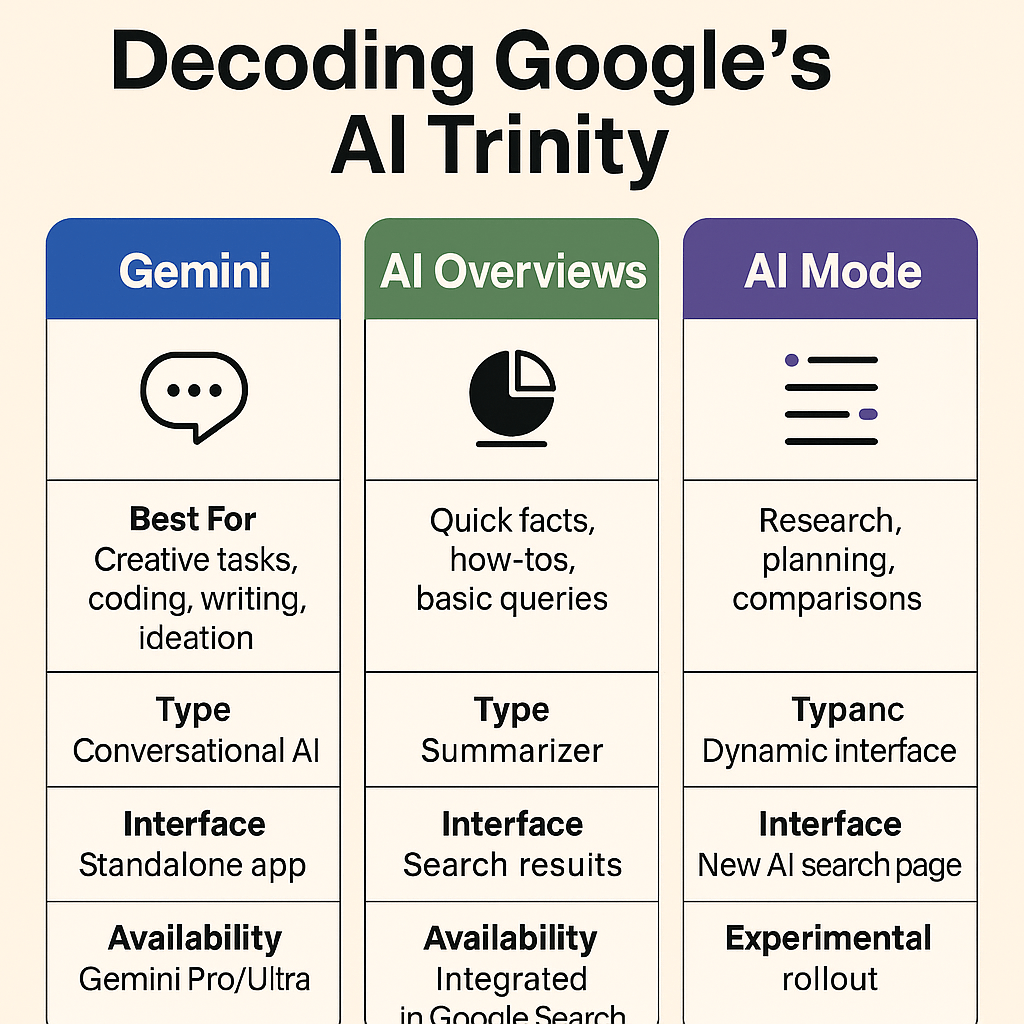
📌 Summary Table: Google AI Tools at a Glance
| Tool | Best For | Type | Interface | Availability |
| Gemini | Creative tasks, coding, writing, ideation | Conversational AI | Standalone app | Public (Gemini Pro/Ultra) |
| AI Overviews | Quick facts, how-tos, basic queries | Summarizer | Search results | Integrated in Google Search |
| AI Mode | Research, planning, comparisons | Dynamic interface | New AI search page | Experimental rollout |
🎯 Final Thoughts: Mastering the Trinity
These three AI tools mark a philosophical shift in how we engage with knowledge:
🧭 From “searching” for facts
💡 To “prompting” for insights
There is no single best tool—only the right one for your goal.
| Your Goal | Use This Tool |
| Brainstorming, creating, coding | Gemini |
| Quick, reliable facts | AI Overviews |
| Planning or deep comparison | AI Mode |
The future belongs to those who know how to prompt.
So go ahead—experiment, cross-check, and make the AI work for you.
🔁 Want More Like This?
📬 Subscribe to the blog to get weekly deep dives into AI tools, product reviews, and use cases for researchers, creators, and developers.
💬 Reader Prompt of the Week:
How are you using Google’s Gemini, AI Overviews, or AI Mode in your daily life? Share your story in the comments!
 Geminy AI. GenAI Platforms Gateaway
Leave a comment